 Quizkey
The study app that locks your apps until you answer.
Quizkey puts a short round of flashcards in front of the apps that eat your day. Get the answers right, earn minutes, open the app. Scroll a little less, learn a lot more.
Free on iPhone and Android
How it works
Lock the apps
Instagram, TikTok, YouTube, games, anything. All day, or on a schedule like study hours or bedtime.
Answer to open
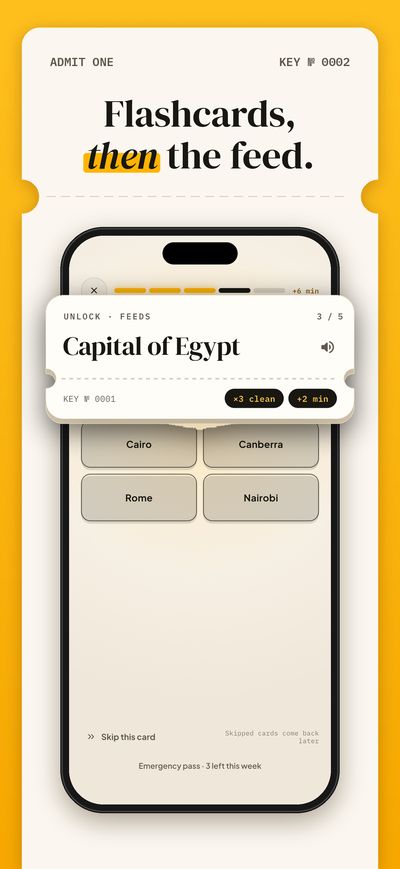
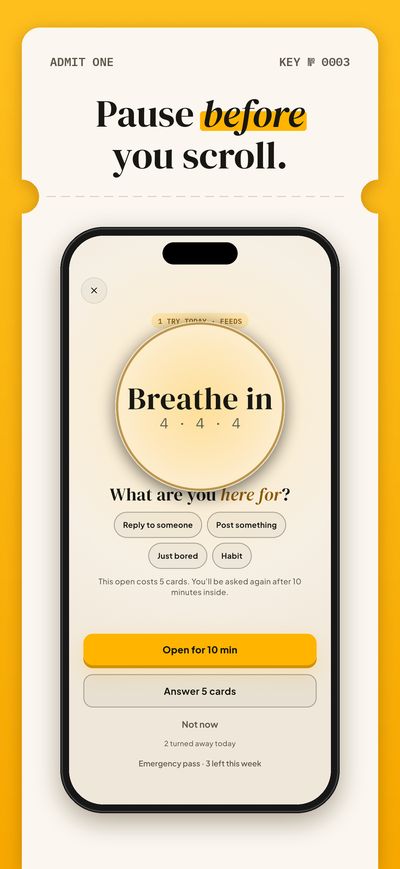
Open a locked app and Quizkey asks for a short round of cards first. You choose how many.
Earn minutes
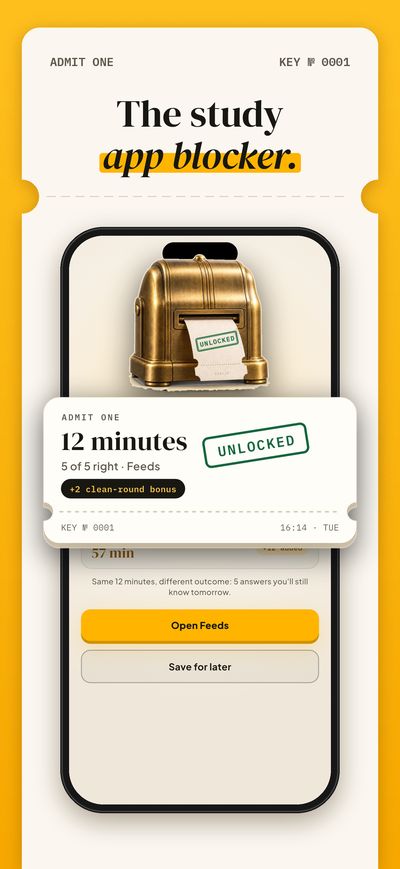
Right answers earn minutes in your ticket wallet. Miss one and the card comes back later. You never lose.
Study what you actually need
- Your own cards: type them, or import CSV, TSV, Q:/A: text, JSON or an Anki text export.
- Your notes: paste text or open a PDF, and Quizkey turns it into a deck (AI decks are part of Pro).
- No AI subscription? Copy Quizkey's prompt into the chatbot you already use and paste the answer back, free.
- Language packs: 120 everyday words with audio in 12 languages.
- Spaced repetition brings each card back right before you would forget it.
- Set an exam date and see how many cards a day keep you on track.
Fair by design
- Blocking is free. So are the ticket wallet, 25-minute focus sessions, the emergency pass and your first deck of up to 50 cards.
- No account and no ads. Your cards and stats stay on your phone.
- An honest emergency pass: hold for 10 seconds, three times a week. Prefer no way out? Turn it off.
- Pro is optional: AI decks, unlimited decks and locks, strict mode and longer focus sessions.
Questions
How do I block apps while studying?
iPhone Screen Time and Android Digital Wellbeing can set app limits, but you can lift them yourself in a few taps. Quizkey makes opening a blocked app cost a few right answers, so the moment you reach for your phone becomes a study rep. Our step-by-step guide covers the built-in tools too.
Is there a study app that blocks social media?
Yes. Quizkey locks the social apps you pick, such as Instagram, TikTok, Snapchat or YouTube, and opens them only after a short round of flashcards.
Can it block Instagram Reels or YouTube Shorts?
Quizkey locks the whole app, not one tab inside it. You can also lock websites such as youtube.com in your browser.
Is Quizkey free?
Yes. Blocking, the ticket wallet, 25-minute focus sessions and your first deck are free, with no ads. Quizkey Pro is an optional subscription.
Does it work on iPhone and Android?
Yes. On iPhone and iPad (iOS 16 or later) it uses Apple's Screen Time. On Android it covers the locked app with a Quizkey screen.
Can I use my own flashcards or Anki decks?
Yes. Make cards by hand, import a file or an Anki text export, or turn your notes into a deck. Pro also imports Anki .apkg files.
What if I really need an app right now?
Spend minutes you saved in your wallet, or use the emergency pass. It works three times a week, after a 10-second hold.